I’m a little whiny today.

We’re two weeks out from going into beta with our new WordPress-driven website, on which approximately 500 events will be created per year. After much consideration of the plugin market for events and calendaring solutions, I was able to settle in with Time.ly’s All-in-one Event Calendar. After a painstaking migration, in which I learned more than I ever needed to know about the iCal format, I was able to successfully import over 6000 events into the calendar.

Everything seemed to be going well – we were working on a custom theme to help get it integrated, I was able to modify some of the code easily to change some presentation options (they’ve used MVC and have done a pretty great job with it), and it seemed like it was production ready. Then, I started receiving some very nasty yellow boxes across my entire admin interface – there’s a major update to the calendar plugin.

If you’re reading this because you updated and now everything is broken, let me just say that you can avoid this completely by instituting some sort of version control – whether it be Git, SVN, Mercurial, whatever – you NEED something like this in place for instances like this. Plugins or core updates always have the potential of going south (fast) and your first line of defense is version control. Don’t think that you can update blindly on your production server without testing first – it is a recipe for disaster, and I’m going to ding Time.ly for making this update seem like it was absolutely necessary by plastering it all over the admin interface, causing people to hastily upgrade (or feel like they needed to).

Now, onto the issues:

1. It’s spitting out foreach errors and warnings. Apparently this is an issue with “legacy” themes – you’ll see tons of notices and errors about that, but they’re pretty informative.

2. AJAX loading of events/slow loading times. With the new update, when you visit an event “post,” the event information is loaded via AJAX instead of the database. I’m not sure where the culprit is, but this caused a delay of 2-6 seconds on my local dev machine – and anything over 2 seconds is simply unacceptable. The AJAX call isn’t necessary in this particular case – if the system is loading a single, static event, that information should be pulled directly from the database FIRST. Widgets have the same issue. The Time.ly devs need to fix this.

3. CSS not loading/site crashing completely – we didn’t have this issue, but you’re probably going to need to revert. If you don’t know how, you might be in some trouble. First, look into disabling the plugin via the database. Second, revert if you have version control or find the legacy plugin to manually install.

We reverted the files back using version control and didn’t have any issues with databases, so with this particular plugin, you should be able to switch back without any issues. Hope this is helpful to someone, and I’ll update when a revision is posted.

Version control is widely considered a litmus test for development environments, yet some companies and institutions continue to disregard it. Even worse, some have implemented old, archaic technology that is extremely inefficient in the modern developer’s workflow. Distributed version control systems provide all of the benefits of version control while enhancing the development ecosystem, making teams more flexible and efficient.

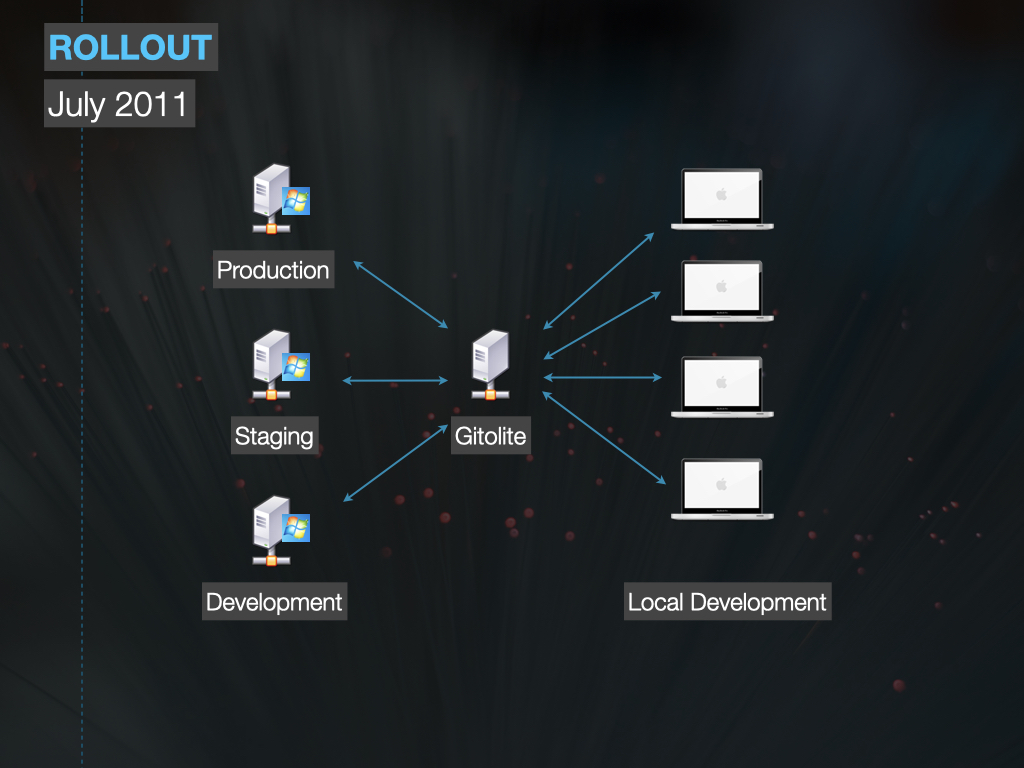
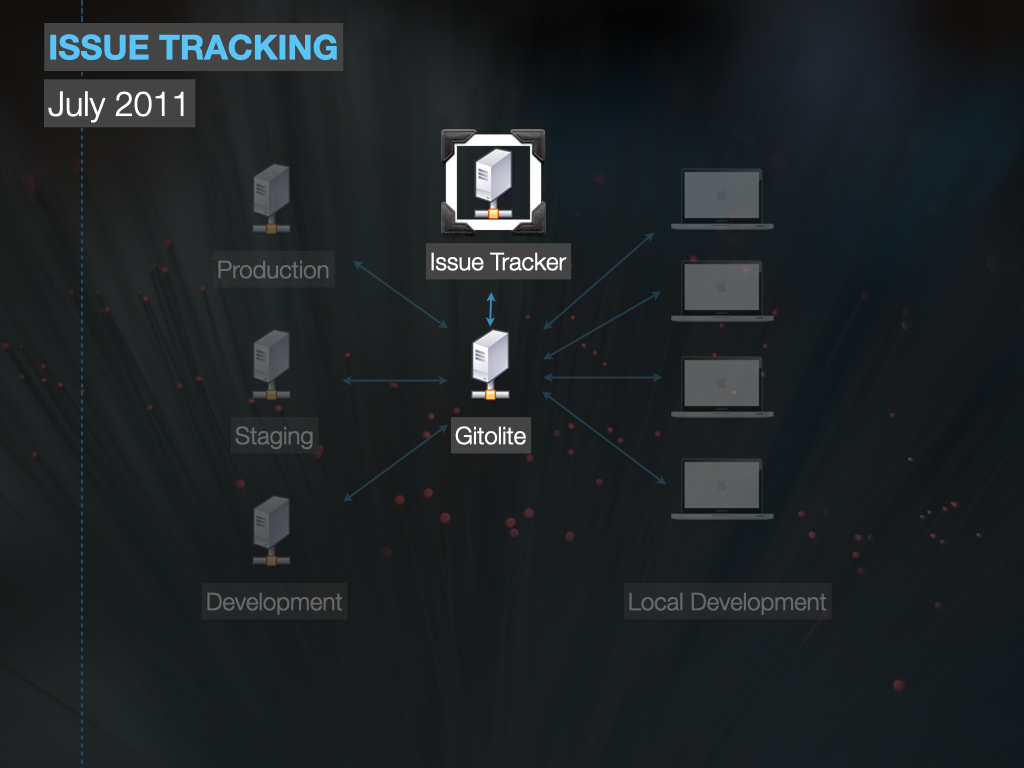
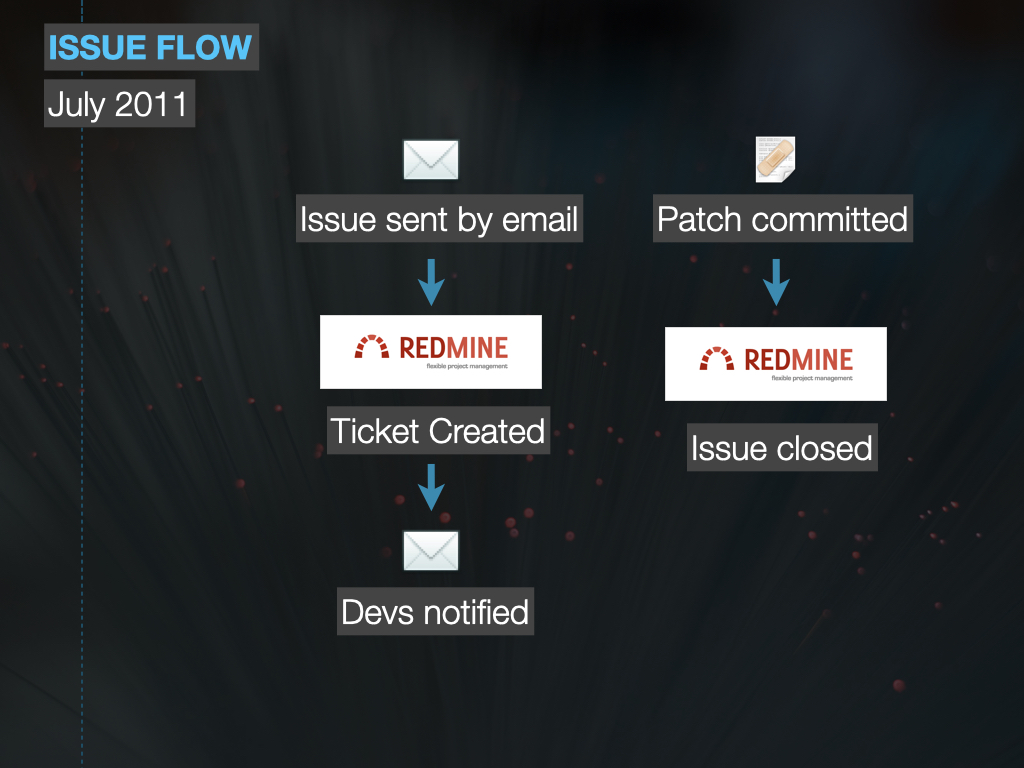
Considering a move from centralized version control like SVN? See the trials, tribulations, and metrics of Santa Clara Law’s transition from SVN to Git and the enhancement of the development ecosystem with the introduction of Gitolite and Redmine.

Modern Version Control

Updated 10/31/2012:

* Fixed gB/mB to GB/MB
* Added context to checkout slide
* Removed date from slides
* Higher quality slides

First and foremost, I want to say thank you to everyone that came to the presentation today, asked questions, and provided feedback about the presentation itself. I had a great time, and I feel like we were able to squeeze a lot into 30 minutes (maybe even too much). While you may be familiar with Git and DVCS concepts, I hope that I was able to inspire some thinking about how you use DVCS in your current organization and how that could be better.

That being said, these slides are great if you meet one of the following:

  • You’re considering moving from something like SVN, Perforce, etc to a distributed workflow like Git, Bazaar, or Mercurial
  • You’re looking to get started with the basics of Git and learn some of the “gotchas”
  • How to integrate Git with other services to change the development workflow
  • Integrate Gitolite and Redmine/ChiliProject with Git

While detailed step-by-step instructions would have been outside the scope of this presentation, these programs are all very well documented and there’s enough resources to get you into a test environment if you see fit. The Git community is awesome about posting their trials and tribulations, so use that to your advantage when rolling something like this out. As always, please feel free to contact me either here or on Twitter (@nicbertino) if you have any questions. I’d love to help.

Slides: Modern Version Control (8MB)

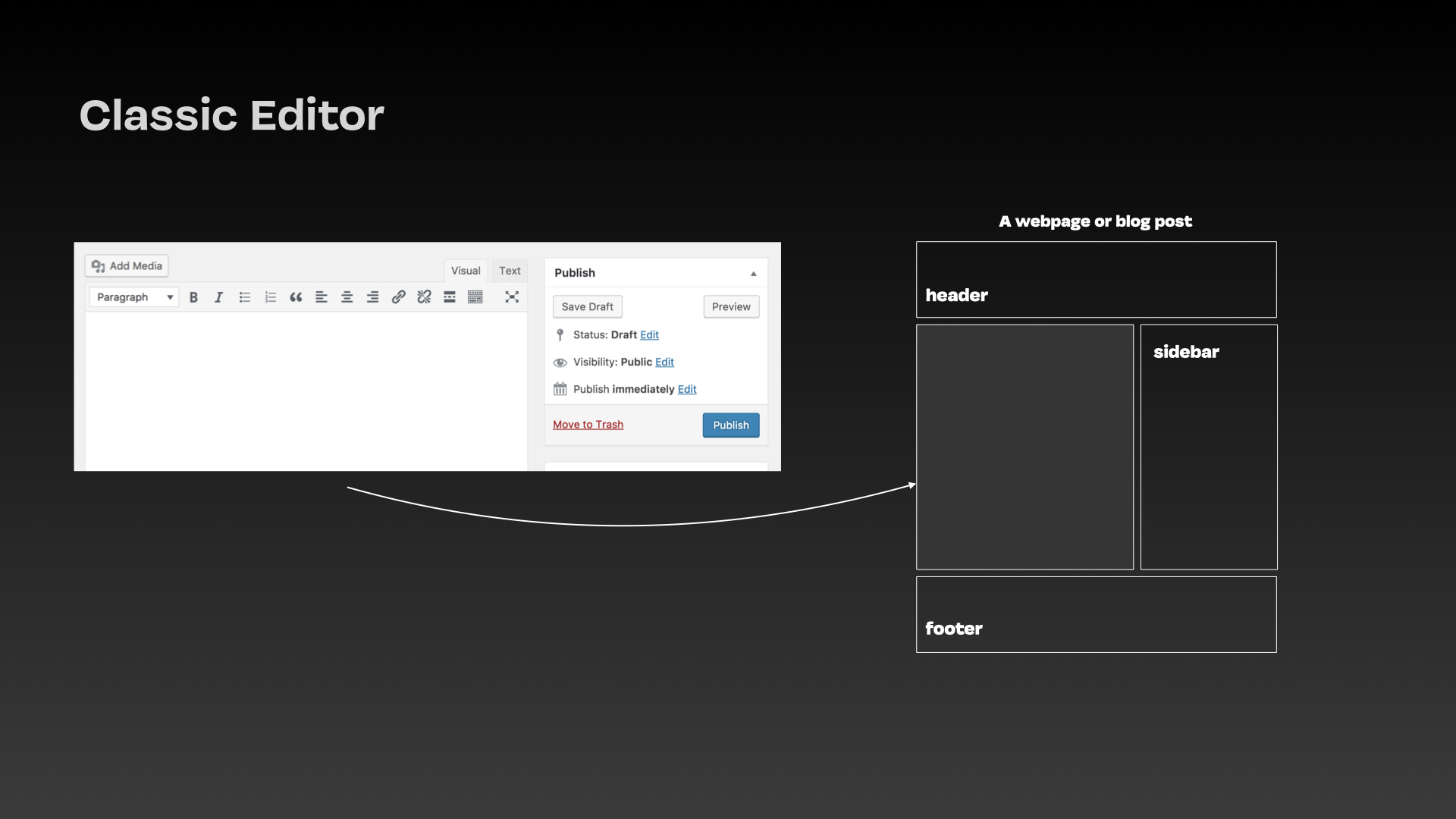
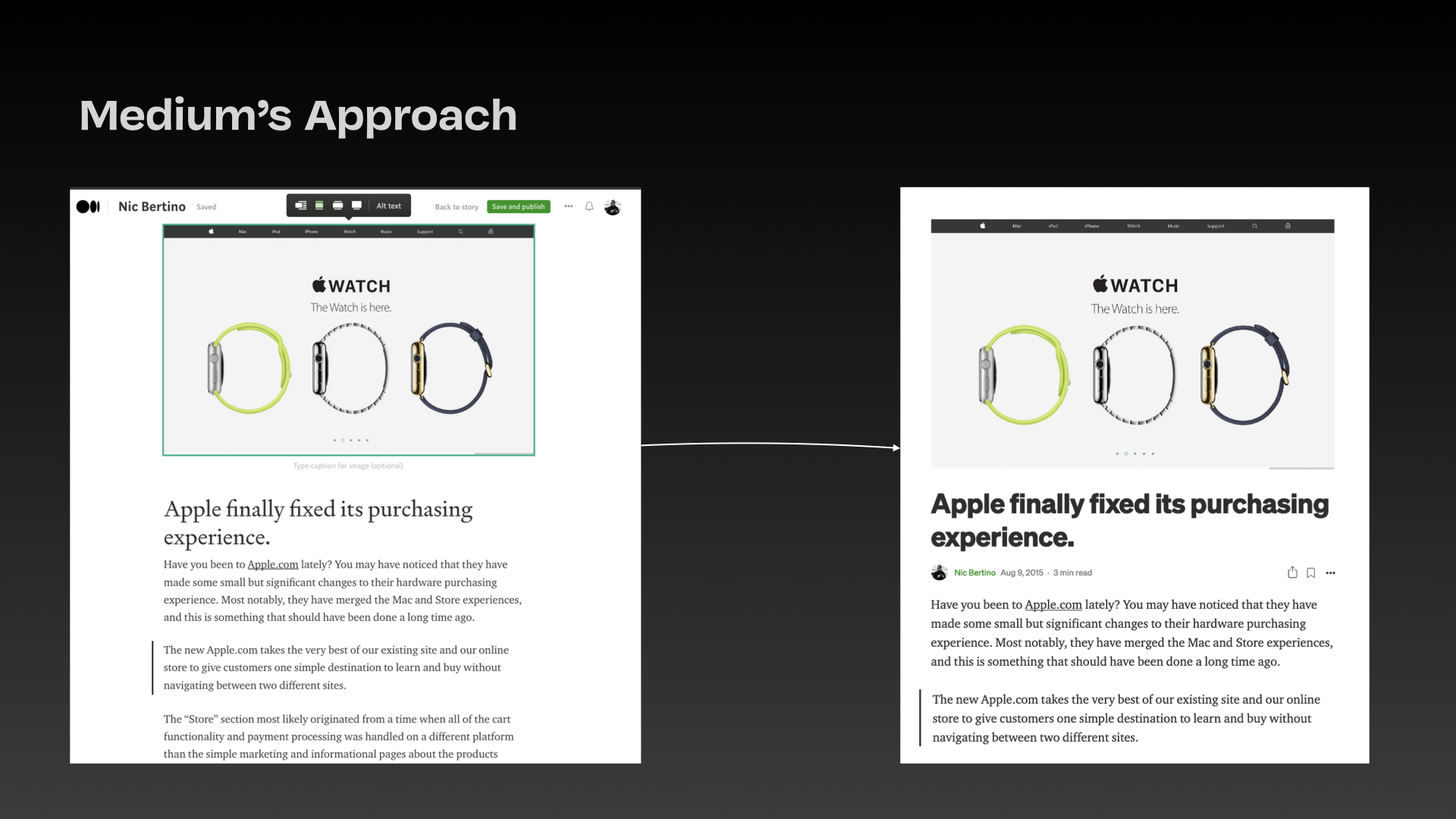
This week, I attended two compelling workshops related to publishing “books” in academia. The first was about the process of creating .epub files for use on eReaders such as iBooks or Nook. The second completely destroyed the ePub workflow and used Chrome Apps to distribute HTML pages that operated like books, with the added functionality of JavaScript.

ePubs are essentially websites zipped up. They’re really not that complicated at all. Coupled with a plethora of different open source tools, I think anyone (with a little HTML know-how) can create and distribute one. I can see why, in academia at least, this is a high value goal. The limitations of the epub standard (keeping in mind that there is a new revision on the horizon) makes publishing slightly more difficult. ePubs are not universal. Kindles, for example, have their own standard. This proposes a challenge.

Creating a simple website and turning that into an offline Chrome app is a viable alternative. What isn’t to like about being able to create a fully immersive (portable) experience? While it sounds like a fantastic alternative, it isn’t the answer, either. The good news is that both methods involve the same starting point; creating a simple website. The ultimate goal remains the same as well – create portable versions of documents that can be read anywhere.

We live in mobile times – I’m not going to chisel out the numbers for mobile (and, more importantly, connected) use. With the advances that we have made with browser technology across all devices, we should be thinking about mobile first, including things like Nooks, iPads, or Kindles. Along with phones, these devices are in the wild. To not consider designing for all platforms is to go down a long path of heartache, pain, and obsolescence.

As a developer, the first thing I thought of when seeing the workflow was that it is Bootstrap’s time to shine. I was in a room with University-grade Librarians, many of which are well versed in basic coding. They could easily create these documents using HTML markup from scratch better than some frontend developers that I know. I couldn’t help but think that these should be using HTML5 boilerplates first, published to the web and made viewable across all viewports, and offered as a Chrome app or ePub after that base is covered. Bootstrap makes this incredibly easy, so it just makes sense to start there.

Yes, viewing a website requires an internet connection. There’s really no getting around that for those who don’t have access to ePubs or Chrome. Coverage is the key to success, though – maximum device coverage with minimal effort. Creating an ePub, Mobi file, and whatever else needs to be made for the various ereaders out there isn’t a fun process. Agility is lost, because if that book is ever updated, going through the process again won’t be easy. I’m not talking about books, either. Things like syllabuses and white papers could all use this format. In the academic environment, the scale becomes huge.

I’m not sure what the best approach is yet. Responsive design is still a pretty cutting edge technique, and while subject matter experts could be made out of non-developers, automating a lot of the process would help. Of course, automating any redundant process is a large part of the development of technology, but doing this programmatically would require quite a bit of creativity. Maybe I’ll wake up with the answer. Until then, I just don’t think ePubs are it.

Signup now!

ChiliProject is an open source issue tracking software. It is a fork of Redmine, an extremely popular and well-made tracking application. I know some of us use it at least one of these in our professional lives, and I think it would be great to give back to ChiliProject by hosting a one-day hackathon focused on UX/UI improvements.

Why ChiliProject over Redmine? ChiliProject’s team is more active and takes more contributions from the community, making any work we do more likely to be integrated into a future release. I’ve spoken about the idea with one of the project leads, and they are definitely open to it.

This gives us as enthusiasts and professionals an opportunity to give back to the open source community.

What will we be trying to solve?

ChiliProject definitely improves on Redmine’s UX, but it is still lacking in a few key areas, particularly in the UI. Specifically:

  1. Main bar navigation could be streamlined
  2. Secondary navigation is very busy
  3. Typography could benefit from an overhaul
  4. Many key processes need to be evaluated and streamlined, including the new issue process. For most of these, the functionality is there, but the usability needs some help.

Some secondary objectives on the UI side might possibly be to port to Twitter Bootstrap, Skeleton, or some other responsive framework to make the site viewport friendly. This is an ambitious task, though.

Of course, through the process of examining the UX, more objectives will be realized.

When would we do it?

Saturday June 9th, 2012. I will be able to organize a git server and VM for collaborative use, along with a central location for communication.

In a recent discussion about the use of surveys during beta, many of the participants felt that surveys at the end of a task really lost the feelings and emotion that were happening over the course of the action. The question becomes, how do we capture those emotions quickly? How can we get feedback almost instantly after the emotion is felt?

I think Google+ has instituted the most innovative way of capturing user feedback. If you aren’t familiar with it, I highly suggest that you go through the interface and see that they really put an emphasis on the experience. I appreciate it.

I like the thumbs-up/thumbs-down measure for actions and interfaces – it is a quick and dirty way to get an impression from your user. By quick, I mean it is very easy for a user to choose whether they like something or not, and being able to do that easily means (generally) that more people will do it.

The concept has a flaw, though; what if you dislike something because it doesn’t work? Then what? Thumbs down? What does that tell the researchers and developers? It could mean many things – maybe you really don’t like that salmon color. We need a way for users to like, dislike, or expand on their feedback. Here’s my approach:

Very simple – thumbs up and down that everyone is (getting) used to, and a plus button. I think it’s rather obvious what the first two buttons do. The plus should allow the user to expand on why they liked or disliked something, or perhaps, tell you that it didn’t quite work as expected. The form that is presented should be fast and easy to fill out, with context about what was happening when it occurred. It’s kind of like a stack trace for your interface.

These make sense after actions – they also make sense when incorporated into a design. You could use this concept more than once on a page during A/B testing to get even more feedback. I know that I’m definitely giving this concept a shot and incorporating this concept into the code architecture on my next project.

There are many ways to select an element using jQuery. At some point, it usually starts with $(‘#id;) – from there, you have a lot of options, all of which can severely affect the performance of your script.

A common theme amongst new jQuery users (and myself, admittedly) is that you can continue to select the afore-selected element. Here’s an example:

$('#id').click(function() {
     $('#id').fadeOut();
});

A very simple example, but with expensive implications. Grabbing that #id again is pricey. But that only makes sense – making JS transverse the DOM once again to find your element is a costly task. That’s why a lot of developers, at least in some contexts, use “this” to remove that step.

 $('#id').click(function() {
      $(this).fadeOut();
 });
 

Conventional web wisdom says that you’re going to get a performance increase because you’re skipping the DOM traversal step here – and that is correct. But this can be modified yet again:

var id = $('#id');
id.click(function() {
    id.fadeOut();
});

This is caching the selector in the variable “id” – something that gets to the middle territory of coders as they progress through more complex JS tasks. But which of these is the fastest?

I created a jsPerf case for that very reason. With the help of a fellow Stack Overflower, we were able to produce a very interesting test case.

The “this” and cached methods are, predictably, faster – but what is even more surprising is the variance in performance on cached selectors on a per-browser basis. It is pretty much all over the board. But what does this tell us?

This test is a remark about the different JIT compilers per browser, and how they’re unique to each browser (and in some cases, each version). That’s obvious – what isn’t so obvious is the performance difference between the three tests across the different browsers. Something to consider when coding your next webapp!

I had an interesting question in the comments regarding the Datepicker widget I incorporated before.

Here’s the problem:

The problem that I face now is that the Calendar UI always display before and after a selection is made.

This wasn’t the case in the jQuery example.

Anyway, thanks again for your help.

I did notice that when testing the widget out, and a good point is made – why don’t we fade the calendar in and out? This is a pretty simple change to the code. Here it is (explanation inline):


<link type="text/css" href="/css/ui-lightness/jquery-ui-1.8.5.custom.css" rel="Stylesheet" />
<script type="text/javascript"
 src="https://ajax.googleapis.com/ajax/libs/jquery/1.4.2/jquery.min.js"></script>
<script type="text/javascript"
 src="https://ajax.googleapis.com/ajax/libs/jqueryui/1.8.5/jquery-ui.min.js"></script>
<script type="text/javascript">
jQuery.noConflict(); // Necessary!
jQuery(document).ready(function() {
jQuery("#datepicker").hide(); // Hide the datepicker widget

jQuery("#date-input input").focus(function() { // When the input field takes focus, call this function
jQuery("#datepicker").fadeIn('fast'); // Bring it in quick
});

jQuery("#datepicker").datepicker({ // Establish the datepicker
 onSelect: function(dateText, inst) { // 1. When you select something, what should happen?
 jQuery("#date-input input").val(dateText); // 2. Take the selection and put it into the prompt!
 jQuery("#datepicker").fadeOut('fast'); // 3. After the selection, hide the prompt again.
}
});

}); // End Ready
</script>

This, in its ugliest form, achieves the fade in and out on the prompt. Stay tuned for an optimization to the post using caching to speed up the process a little bit, and make it a little more maintainable.

Good UI starts with your interface doing what your end user expects it to do. Your interface matches the expectations and logic of your user, making their experience efficient, easy, and as fast as possible. I’m not sure about your environment, but when I open a report that is dozens of required prompts that I have to fill out one by one, I turn into the report Hulk and start throwing things around.

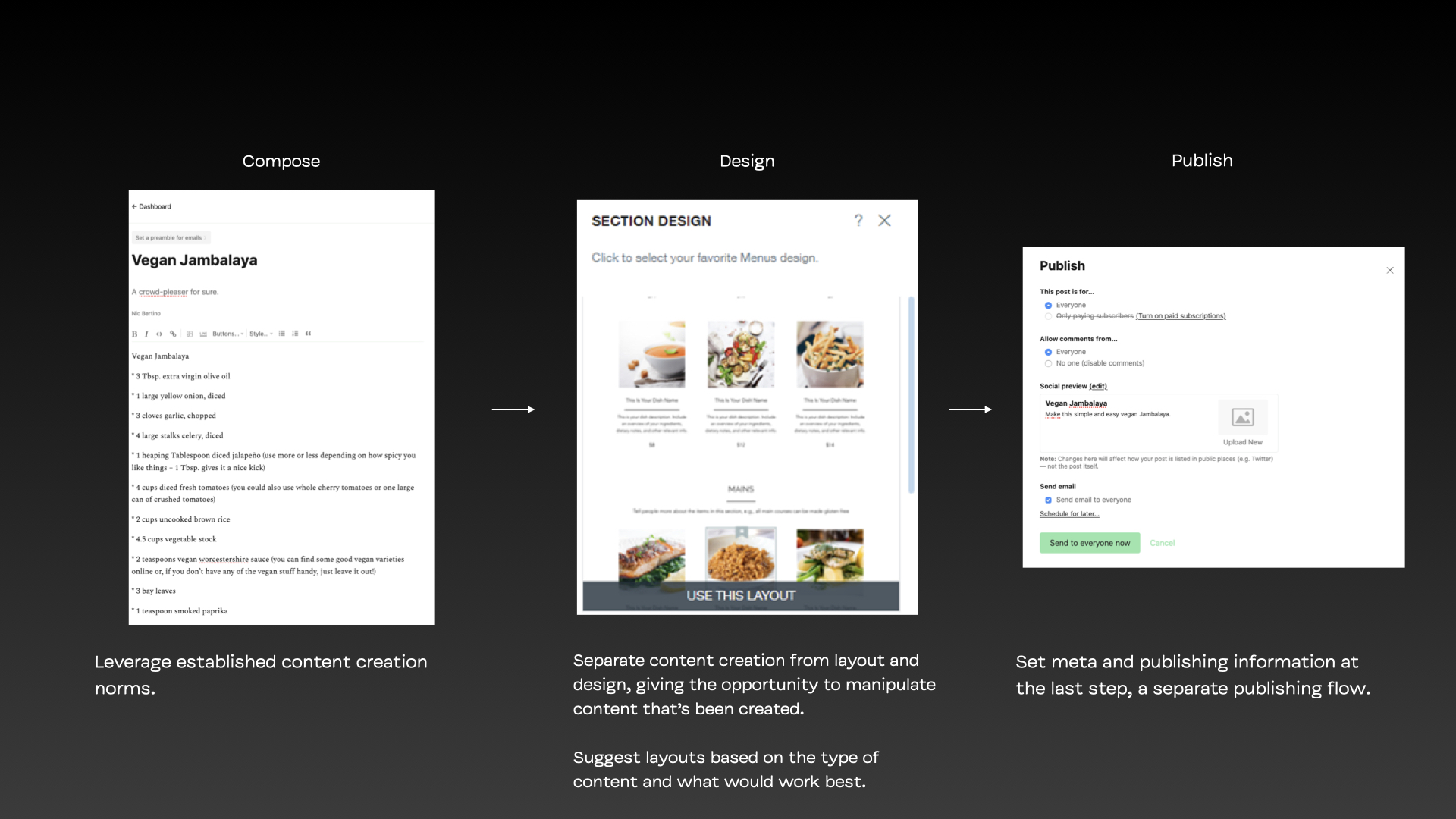
Previously, while taking new report requests and actually designing and delivering, I was working with some cohorts to figure out how to use jQuery to set defaults for prompts. It’s simple; work with the user, observe their actions, and adjust the interface accordingly. If the user selects the same thing 90% of the time, assist them by making it the default. My first approach was to do this entirely in jQuery. Guess what? You don’t have to do that.

When you select a prompt, you can go to its General properties and select Default Selections. Type a string that matches input in the prompt, and you’ve got a default. I’d imagine this works for the majority of prompts. There’s some that it doesn’t work for, such as a date field always being set to the current year. That’s one that I’d pick up in jQuery and set using Javascript.

Simple rule; if it’s a required prompt, give it a default value. Your users will thank you.

Here’s a question I posed for discussion on COGNOISE:

Since I’m so new to Cognos, I haven’t experienced an upgrade where everything breaks because IBM decides to change how they render prompts or something.

As a matter of fact, I have no way of knowing if any of the jQuery stuff I’ve been writing will translate to 10, because frankly, we use none of it at my job. I think I have a pretty solid strategy, though.

If I had to guess, I think that the problem is with Javascript breaking because of code like warping – the ID or class is changed, then everything breaks. I’ve countered this by wrapping pretty much all of the elements I’d like to manipulate in HTML items and giving it a div with an ID. I’m pretty sure that isn’t going to change through an upgrade, as I’m writing static code, not the rendering engine.

I’m also selecting by element and position, which may create a problem. Unlike Javascript without a framework, because most of the operations are one line only in jQuery, finding and resolving issues should be easy even in my absence. For example:

jQuery("#YOURIDHERE option:first").remove();

This code for removing an option is one line and pretty much self-explanatory. Go to the ID, and find the first option in that prompt. It’s hard to see a scenario where this would change drastically during an upgrade.

So that’s what I’m asking! There’s a sense of fear when it comes to using JS with Cognos – it would be naive to say it’s not a problem, but I think maybe developers are overcomplicating the JS and introducing developer tie-in with their code. What are you seeing?